
Multiple Apps
Manage multiple apps under a single Insert Affiliate account. The multi-app feature lets you run separate affiliate programs for different apps, each with their own affiliates, analytics, and settings, all from one login.
Overview
With multiple apps, you can:
- Run separate affiliate programs: Each app has its own affiliates, commission rules, and analytics
- Switch between apps instantly: Use the App Switcher in the dashboard header to toggle between apps
- Manage everything from one account: No need for separate logins or accounts
Plan Limits
The number of apps you can manage depends on your plan:
| Plan | Apps |
|---|---|
| Free | 1 |
| Starter | 1 |
| Growth | Up to 3 |
| Enterprise | Unlimited |
To add more apps, upgrade your plan.
Adding a New App
- Click the App Switcher dropdown in the top-right of your dashboard (it shows your current app name)
- Click Add New App
- Enter a name for your new app
- Click Create
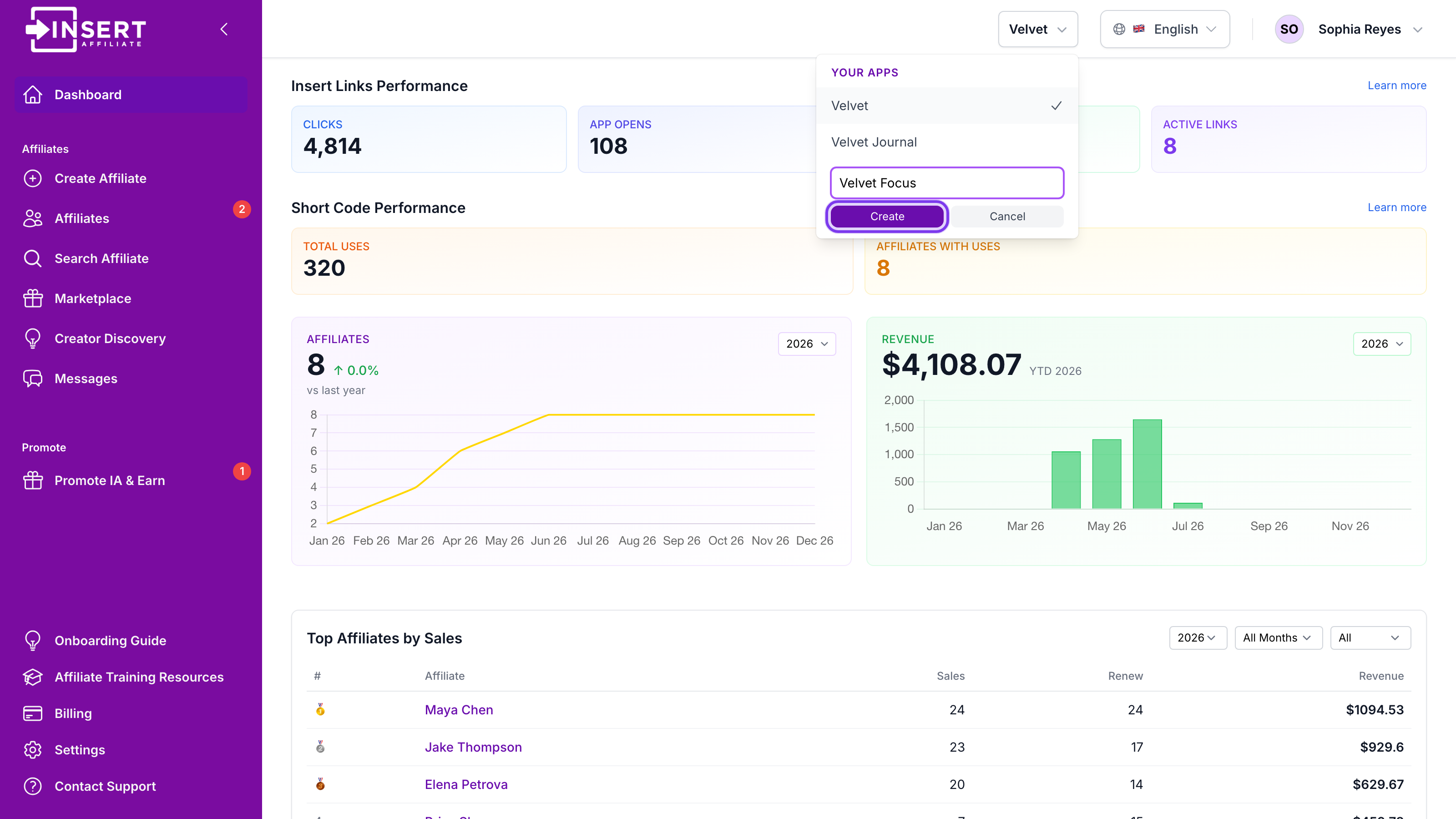
Click to view full size
You'll be automatically switched to the new app. Each new app starts fresh with its own company ID, ready for you to set up affiliates and integrations.
Switching Between Apps
- Click the App Switcher dropdown in the top-right of your dashboard
- Your current app is marked as Active
- Click any other app to switch to it
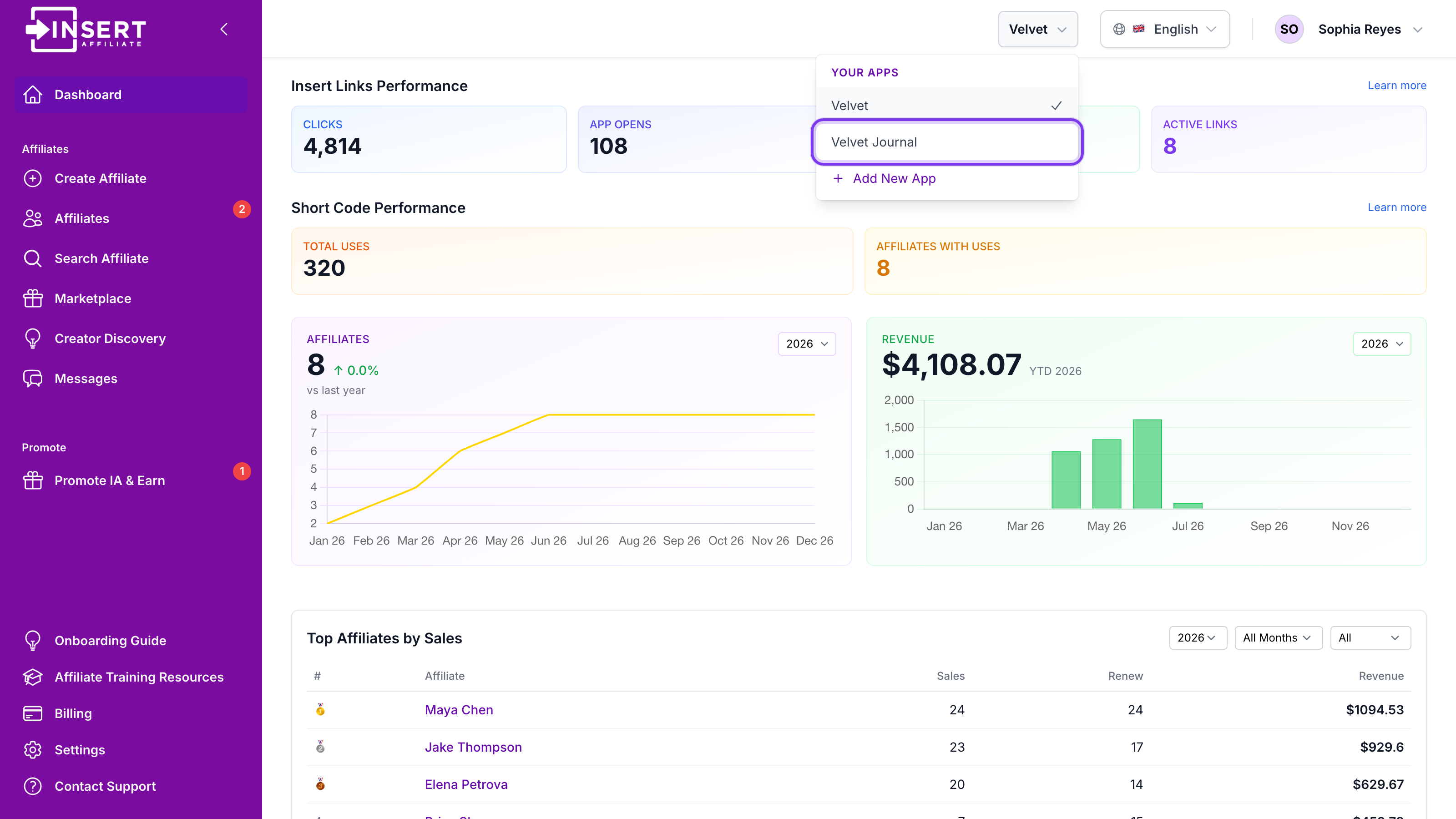
Click to view full size
The page will reload with the selected app's data. All dashboard sections (affiliates, analytics, messages, settings) will reflect the selected app.
How It Works
Each app in your account is a separate company entity with its own:
- Company ID for SDK integration
- Affiliates and commission rules
- Transaction history and analytics
- Settings and configuration
Your account (email login) is linked across all your apps. Team members you invite will also have access to all linked apps.
Upgrading for More Apps
If you're on a Free or Starter plan, clicking Add New App will prompt you to upgrade. To add more apps:
- Go to Billing
- Choose a Growth or Enterprise plan
- Once upgraded, you can immediately add new apps from the App Switcher
Support
Need help with multiple apps? Contact us:
- Email: [email protected]
- Use the in-app support options